HELLO, SCRATCH
Have you ever heard of Scratch? Scratch is a visual programming language that allows students to create their own interactive stories, games, and animations. As students design Scratch projects, they learn to think creatively, reason systematically, and work collaboratively. Scratch was created by the MIT Media lab, and now Scratch has become more than a programming language; Scratch is a community!
Anyone can share their coding projects, remix and redistribute others' work. And students can post comments on coding projects they like, and follow other users or studios (small communities in Scratch), similar to what other social media platforms offer. With these affordances, Scratch is now one of the most popular online coding platforms in the world. As of June 2022, there are 93,481,000 users registered, and 109,114,000 coding projects uploaded. Every month, around 25,000,000 users visit Scratch. It's fabulous, isn't it?
Maybe it's time to look around Scratch how it looks like. Please click this link: https://scratch.mit.edu/
CONTENTS
This page aims to provide basic resources and guidance for pre-service teachers who are interested in using Scratch for their future teaching. Thus, this page includes necessary resources following the categories:
- Basic of Scratch coding
- Class and students management in Scratch
- Assessment of Scratch projects
- Other resources
BASIC OF SCRATCH CODING
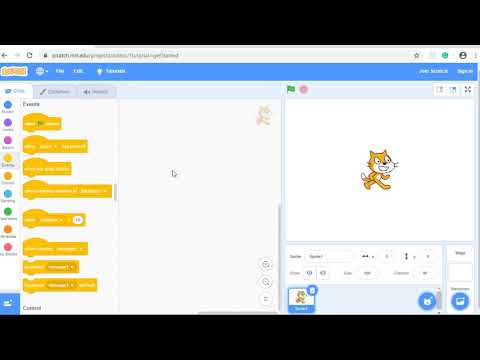
Basically, Scratch is an online coding platform where students can create games, animations, or stories. To encourage young students to participate in coding activities, Scratch allows students to build coding projects using coding blocks. This video might be helpful for you to figure out how Scratch works.
Each coding project provides meta-data such as the likes count, retweet count, and view count. This meta-data might be helpful for you to curate coding projects for your students. Click this link and find four icons below the coding project window. These four icons indicate the count of likes, stars, remixed, and viewed, respectively.
In Scratch, the term remix is similar to the retweet on Twitter. However, the biggest difference is that users in Scratch not only can make a copy of someone else's coding project but also they can modify it by adding new ideas (e.g., changing images) and then redistribute it to the public.
CLASS AND STUDENTS MANAGEMENT IN SCRATCH
As a classroom teacher, it might be important and, in some sense, necessary to manage students' accounts and check their learning progress. Similar to an LMS tool, Canvas, Scratch also allows teachers to create their own studios. Teachers can set their studios as either private or public, and use these studios as online spaces where students can upload their coding projects.
In order to create your own studios and manage students' accounts, you should create a teacher account on Scratch. This video might be helpful in figuring out how to create classes, and how to add students.
ASSESSMENT OF SCRATCH PROJECTS
Assessment of Scratch coding projects might be hard. How could we assess students' computational thinking skills manifested in coding projects? One solution might be using this tool: Dr. Scratch.
Dr. Scratch is an online automatic analytics tool that can evaluate Scratch coding projects. Once you input a coding project URL, Dr. Scratch will show you the results in seconds. Click this link to give it a try: http://www.drscratch.org/

OTHER RESOURCES
If you think Scratch is too difficult to have your students try, you might want to use these coding tools.
- ScratchJr: ScratchJr (Scratch Junior) is an easier version of Scratch. ScratchJr runs on Android/iOS tablets only, and it targets 5-7 years of students with more game-like features. Link: https://www.scratchjr.org/

- Lightbot: Lightbot is a game to develop CT skills. Unlike Scratch and ScratchJr, students don't need to create coding projects. Rather, they need to solve questions on the game. Link: https://lightbot.com/

Here are some Facebook pages that can help you make Scratch-minded teachers.

Very cool!! Thank you for all the insight!
ReplyDelete